Showing posts with label xhorse key reader. Show all posts

Sunday, 17 April 2022

How to Combine & Activate Account on Xhorse Key Reader?

Xhorse Key Reader XDKR00GL is able to identify aluminum keys, plastic keys and metal keys in seconds. Supports to be controlled on a smart phone or working with VVDI Key Tool MAX or VVDI Key Tool Plus Pad. This is a guide to use Key Reader including 2 parts: combine & activate account, identify key bitting.


How to combine & activate Xhorse account?

This is taking a Hyundai KIA7 key as demonstration.

Path in Key Reader: 

Optional identification >> Hyundai >> All key blank >> KIA7 >> OK >> Connect

combine-activate-account-on-xhorse-key-reader-1

combine-activate-account-on-xhorse-key-reader-2


Turn on "Automatic connect" button to connect device.

Start to set >> Send

Wait for the security codes, then enter.

Note:

1. After combine device to account, this device's bonus points will share to account.

2. Parts of function support to share to different devices in this account.


Press "Combine device".

Combined success.

Xhorse Key Reader will process to activate automatically.

Device activation success.

combine-activate-account-on-xhorse-key-reader-3

combine-activate-account-on-xhorse-key-reader-4

How to identify key?

Now you can start to identify keys.

Press "Start to use" to go on.


Operation Steps:

1. Insert key into Key Reader key slot.

2. Continuous press twice: Identification >> identification

Key Reader will finish reading in seconds.

* If the bitting doesn't match, adjust with the keypad below.

combine-activate-account-on-xhorse-key-reader-5

combine-activate-account-on-xhorse-key-reader-6

As long as connecting with Xhorse Key Cutting Machine, you can continue to cut key here by pressing "To cut" directly.

http://blog.obd2shop.co.uk/how-to-combine-activate-account-on-xhorse-key-reader/


Monday, 10 January 2022

LISHI + Xhorse Dolphin XP005 Decode & Cut VW HU66 AKL

Use LISHI 2-in-1 Auto Pick working with Xhorse Dolphin XP005 can easily decode & cut a VW HU66 key when all keys lost. As long as you have a car lock, the LISHI decoder can extract it for cutting a new key.


Following this, I’m gonna demonstrate how to do it.


Decode Key

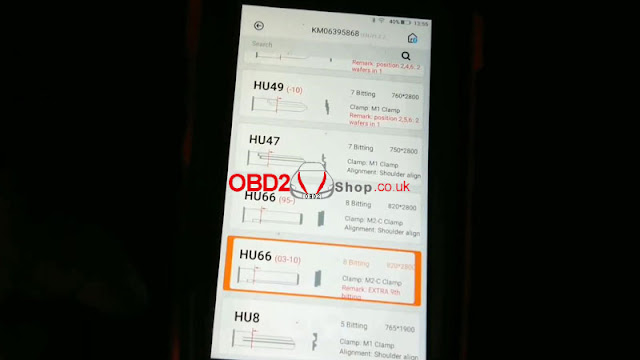
Firstly it needs to connect with the Dolphin XP005 machine via the Xhorse app or VVDI Key Tool MAX programmer. Enter into

Vehicle database >> Volkswagen >> All key blank >> HU66

lishi-xhorse-dolphin-xp005-decode-cut-vw-hu66-akl-1

lishi-xhorse-dolphin-xp005-decode-cut-vw-hu66-akl-2

lishi-xhorse-dolphin-xp005-decode-cut-vw-hu66-akl-3


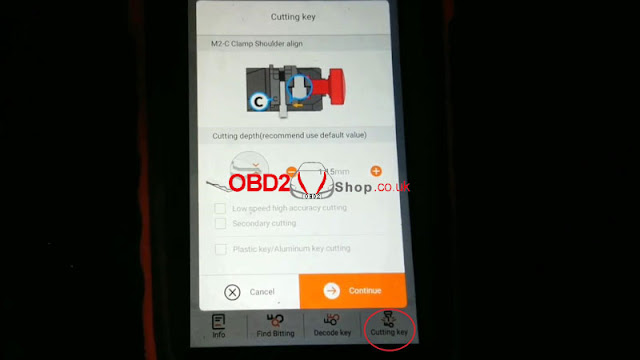
M2-C clamp shoulder align.

Install key blank as prompted.


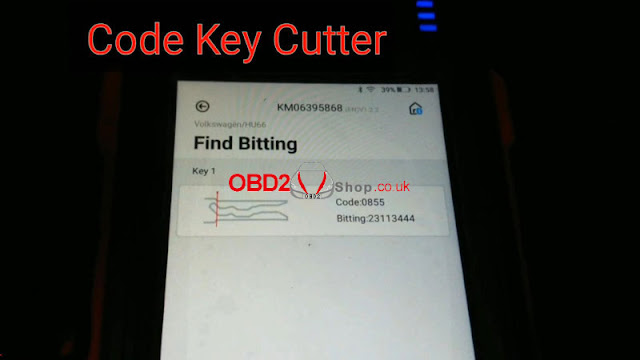
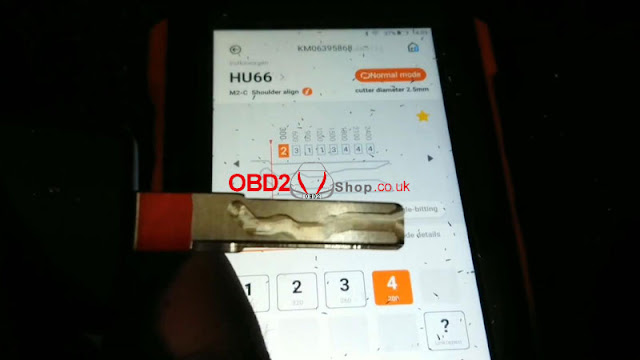
Input the codes decoded by LISHI: 23113444

Press “Find Bitting”.

A key type was displayed with code 0855, that’s it!

lishi-xhorse-dolphin-xp005-decode-cut-vw-hu66-akl-4

lishi-xhorse-dolphin-xp005-decode-cut-vw-hu66-akl-5

lishi-xhorse-dolphin-xp005-decode-cut-vw-hu66-akl-6

Cut Key

Cutting key >> Continue

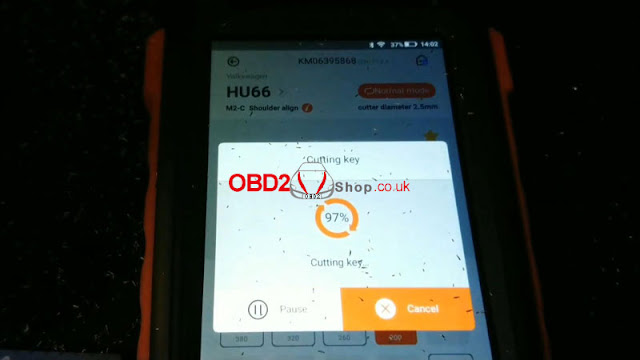
Dolphin XP005 will work automatically on command.

Just wait until 100%...

Cutting key completed.


Clean & turn over key to cut the other side.

Repeat same command as before.

Either Key Tool MAX or Xhorse Dolphin screen can show the cutting progress.

100% again, completed!

lishi-xhorse-dolphin-xp005-decode-cut-vw-hu66-akl-7

lishi-xhorse-dolphin-xp005-decode-cut-vw-hu66-akl-8

lishi-xhorse-dolphin-xp005-decode-cut-vw-hu66-akl-9

lishi-xhorse-dolphin-xp005-decode-cut-vw-hu66-akl-10

Let’s take it out to have a try.

It can open the lock.

Done!

lishi-xhorse-dolphin-xp005-decode-cut-vw-hu66-akl-11

lishi-xhorse-dolphin-xp005-decode-cut-vw-hu66-akl-12

It’s said new tool Xhorse Key Reader also supports decoding keys with ease. But it does not work for all keys lost, a key is a must-have. Believe having those tools can help locksmiths much.

http://blog.obd2shop.co.uk/lishi-xhorse-dolphin-xp005-decode-cut-vw-hu66-akl/