We are authorized Xhorse Dealer, purchasing from us, you will get 100% original Xhorse Device. Besides, we also can provide you with a year warranty and free technique service.
I was using Xhorse VVDI MB Tool to erase EIS for a Mercedes Benz, but all basic information and key information go to 0. It said “Erasing EIS...Failed!”, what is the problem? Please help me!
OBD2shop engineer replied.
The reason for VVDI MB Tool erasing EIS failed is because the key password and erase password are all zero. Only to have both passwords can erase EIS successfully.
4. Click “Read”>> “EEPROM”, then try to read the data.
5. Red means connection failure, so, from the picture we can see that we need to check the connection. After checking the connection, click “Try again”.
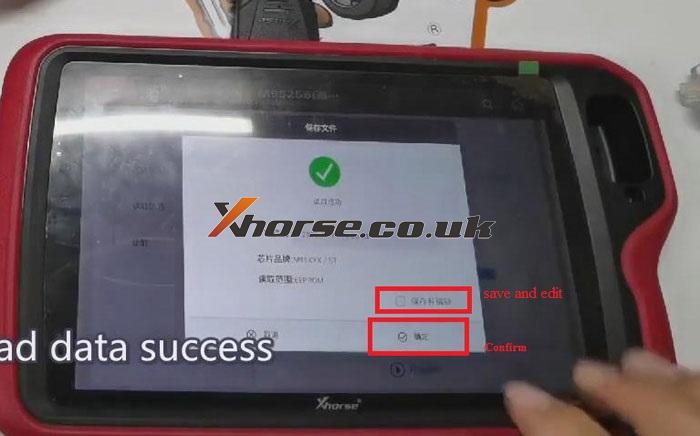
6. Now, when reading data is successful, save EEPROM file. Then we can read out EEPROM data.
Today, I’ll show you how to renew a used BMW F series key with VVDI Key Tool Plus.
Before that, now let’s put the key into the detection coil of VVDI Key Tool Plus first.
Click “Transponder Clone”>>“Read Transponder”>>“More Parameter”, then we can see the details of the VIN number. The information on the VIN shows that the key has been programmed. And that means that if we want to reuse the key, we need to renew it.
Here are the steps for renewing the BMW F Series key:
- 1 Benz IR reader, 1 Benz NEC1 adapter, NEC2 adapter, and NEC3 adapter, 1 Benz power adapter.
- 1 9s12xE cable, 1 MCU cable.
Powered To Outperform
VVDI
Key Tool Plus
Screen
10.1" HD
Anti-glare; anti-fingerprint,resolution up to FHD+ (2400*1080)
Camera
13 MP HD
Storage
4GB RAM + 128GB ROM
CPU
8-core 2GHz (4xCortex-A53 up to
2.3Ghz,4xCortex-A53 up to 1.8Ghz)
Battery
10000mAh
System
Android 9.0
Charging
30W super fast charge
Bluetooth
5.0 Bluetooth
WIFI
2.4G/5G
Functions Overview
VVDI Key Tool Plus Pad features Immo programming, transponder clone, generate transponder, remote program, OBD diagnostic, prog, cutting the key, and update.
IMMO Programming can program luxury cars like Audi, Benz, BMW, VW, etc. Can program ordinary cars like Toyota, Honda, Ford, Mazda, Cadillac, Land Rover, Peugeot, Kia, Buick, Chevrolet, Lincoln, Mitsubishi, Nissan, Suzuki, Volvo, etc.
Features Highlight
- All key tool functions in one tablet, no other tools required when programming keys.
- A programmer as well, supports solder-free programming for multiple adapters.
- Xhorse key cutting machine controller, supports to work with Dolphin XP005, Mini Plus, Condor XC-Mini and Panda.
Hello guys, today I’m gonna use Xhorse VVDI2 to program remote key button 868MHz PCF7945 transponder for BMW CAS2. This tutorial is applied to BMW CAS3 as well.
Steps
Connect VVDI2 with OBD port of BMW, start up VVDI2 software:
BMW >> Connect >> Get Key Info
Select “add key”, insert a working key into ignition and connect VVDI2 with car before continue. Click “Next”.
Take away the dealer key from ignition switch. If key is keyless, move it our of car. If there is no key in ignition, continue anyway, click “OK”.
Reading data success.
Please use “Save key info” to save the original key information. Click “OK”.
Select one blank key position “Key 4”, click “Prepare dealer key with programmer”.
Put new key into VVDI2 programmer, click “OK”.
Is the new key have keyless. Click “No”.
Key make okay and locked. Click “OK” to complete.
Now let’s have a try, the key can start engine and the remote function works normal.
BMW key programming has been done!
This is a quick demonstration about how to program BMW CAS2/CAS3 remote key by OBD with VVDI2 Full Version commander. Thanks to https://www.obd2shop.co.uk/